
Supervised RDM cycle
Last updated on 2026-10-20 | Edit this page
Estimated time: 50 minutes
Overview
Questions
- How do researchers and data stewards collaborate in Yoda?
Objectives
- Operate the cycle of securing data supervised by a data steward in Yoda
- Demonstrate how to check metadata and approve submissions to Yoda Vault
In order to make it possible to walk through the supervised RDM cycle, make sure you prepare a Yoda Group within a Category where you can add specific participants who will act as data steward to the datamanager group.
Introduction
In this scenario we are going to recreate the same steps as in the previous exercise, but you will be working in a group that requires that a data steward approves your dataset before it is allowed to reach the Vault. You will get the chance to be the researcher, but also the data steward.
At the end of the exercise you will know how the interaction between a researcher and a data steward can lead to a dataset being placed in Yoda’s Vault.
Preparing another working place in the Research space
Follow the steps from previous two scenarios to create a new Project
folder and a new dataset folder in the Research space, but take care to
use the folder called research-tutorial-sup this time.
Filling the metadata and uploading data
Follow the steps from the previous scenario to provide metadata for the dataset folder.
Follow the steps from the previous scenario to upload data to the dataset folder.
Submitting the dataset to the Vault
Now that you have a dataset which includes both data and metadata, you can again initiate the flow that will place a frozen version of the dataset in the Vault. This is going to be a supervised process, simulating a situation where you are collaborating with a data manager or data steward. This means that the dataset will not reach the Vault directly, but have to be accepted by a data manager.
Act as a data steward
Please get in touch now with the facilitators. They will give you instructions on how to work (possibly, together with a fellow participant) in order to simulate that you interact with a data steward to:
get your dataset to the Accepted status, as expected, and
exercise your data steward role
In short, the steps that the person with the data steward role will have to fulfill are:
Open the submitted folder from a classmate
Find out the submitter’s e-mail address by looking at the provenance information of the submitted folder
Send them an e-mail requiring a specific piece of metadata
-
Reject the submission
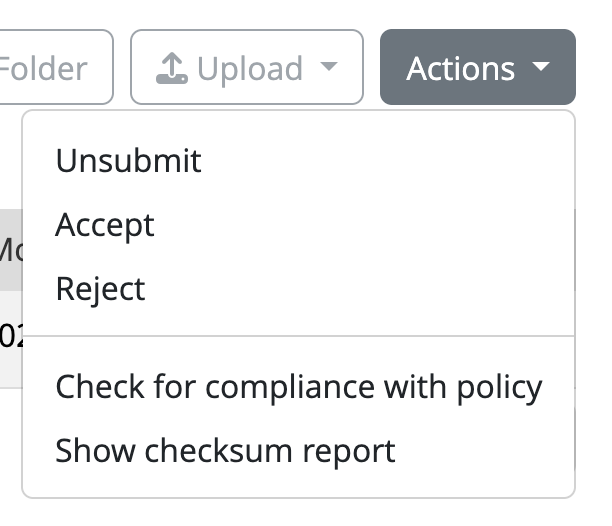 Click the Action button in the Research area to accept or reject the submission
 Wait for the submitter to send the submission again
Verify that you now have the expected metadata
Approve the submission
Verify your dataset is in Vault
After you exchange interactions with the data steward and you get
their approval, you must see your dataset listed including the [Unix
epoch] in the vault-tutorial-sup folder. Verify that this
is the case.
Congratulations! You have just successfully placed a frozen version of your dataset in the Vault, approved by a data steward.
🍝 🍔 🍜 Food for thought
Now that you have experienced both the unsupervised and the supervised flows, can you see when you would apply each in your institute?
Who would be suitable candidates to be carrying out the task of data steward for the sake of approving?
How is that scalable to cope with all the research data in your institute?
How would you organise Research spaces in your institution’s Yoda? Why? Can you think of an alternative organisation of Research spaces?
- You can submit a dataset to the Vault to secure a frozen version of your dataset
- As a data steward, you can check the metadata and reject or approve submissions